
Looking for the OnlyFans app? While there’s no dedicated app for iPhone, Android, or desktop, you can still access OF quickly across mobile and desktop devices. Adding OnlyFans to your home screen or dock creates a shortcut that makes it easy to launch directly from your device.
Does OnlyFans Have an App?
No, OnlyFans does not currently have a dedicated iPhone, Android, or desktop app.
Instead, OnlyFans works directly through your web browser on mobile and desktop devices. You can log in, subscribe, message creators, stream content, and manage your account without downloading additional software.
How to Add OnlyFans to Your Home Screen
The exact steps vary slightly depending on your browser and device.
Mobile Devices
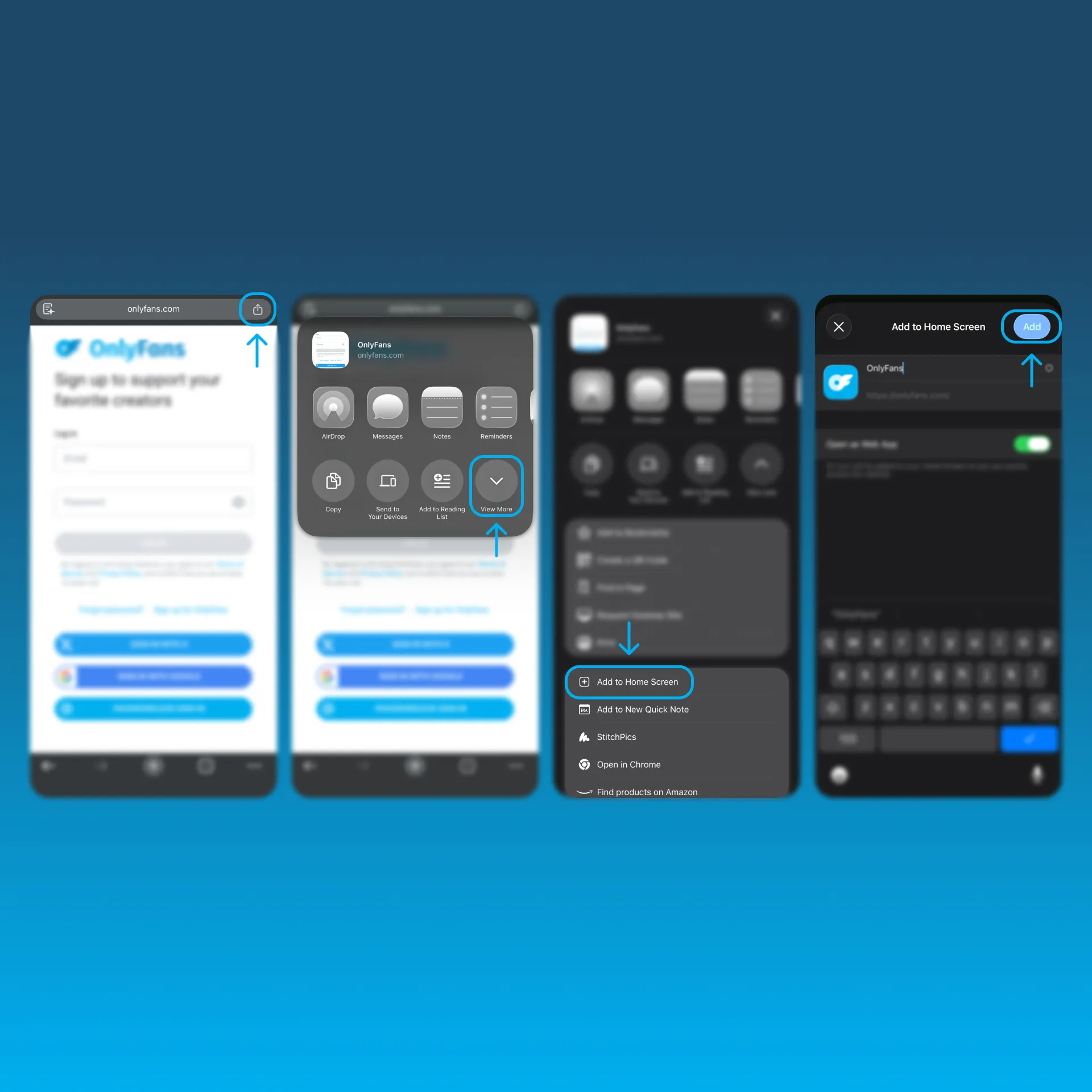
Chrome (iPhone, iPad)
1.From Chrome, navigate to OnlyFans.com.
2.Tap the Share button in the address bar.
3.Tap View More.
4.Select Add to Home Screen.
5.Tap Add in the top-right corner.
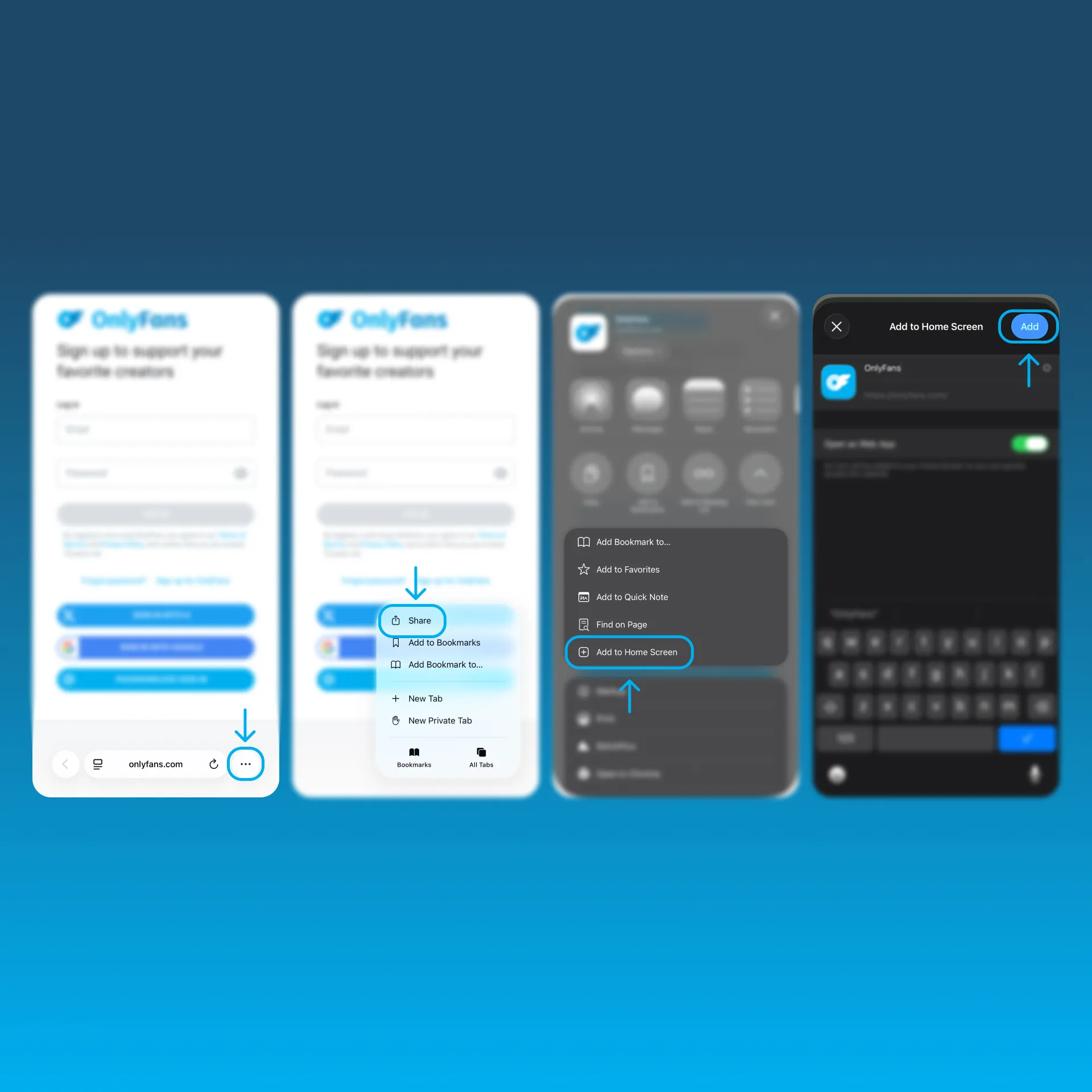
Safari (iPhone, iPad)
1.From Safari, navigate to OnlyFans.com.
2.Tap the three dots in the bottom-right corner.
3.Tap the Share button.
4.Scroll down and tap Add to Home Screen.
5.Tap Add in the top-right corner.
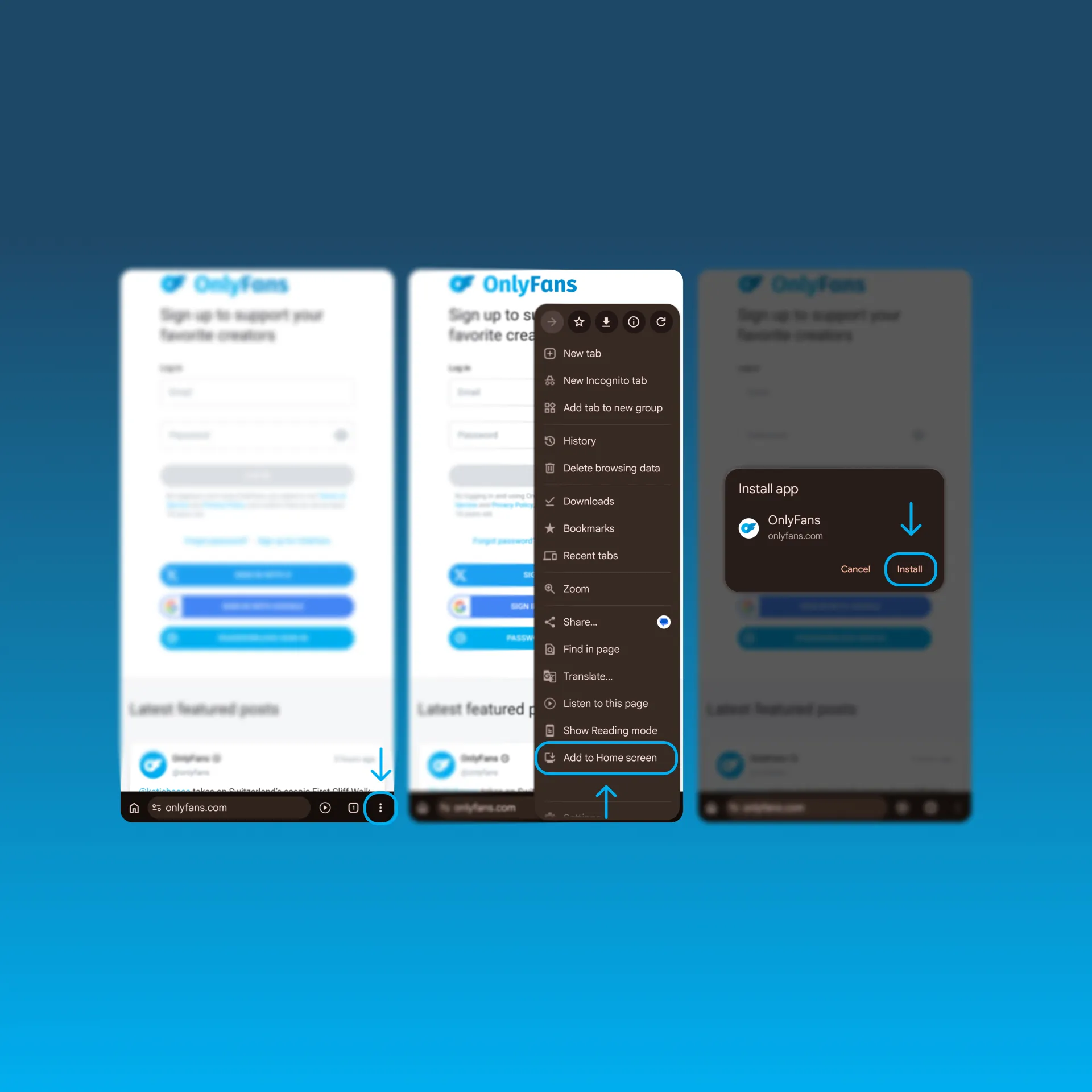
Chrome (Android)
1.From Chrome, navigate to OnlyFans.com.
2.Tap the three dots in the bottom-right corner.
3.Select Add to Home Screen.
4.Tap Install when prompted.
Desktop Devices
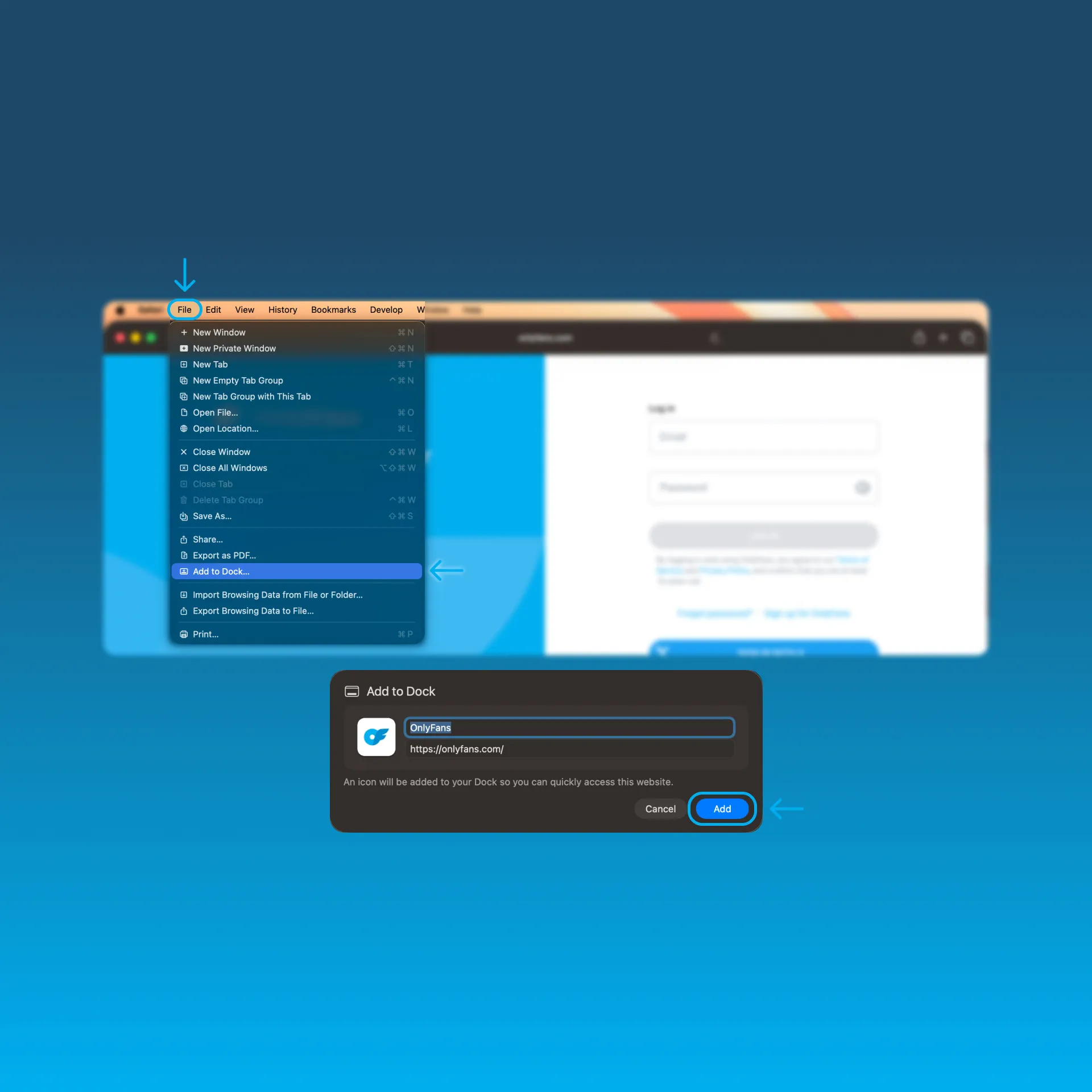
Safari (Mac)
1.From Safari, navigate to OnlyFans.com.
2.Click File in the top menu.
3.Select Add to Dock.
4.Click Add.
OnlyFans will appear in your Dock and Applications folder.
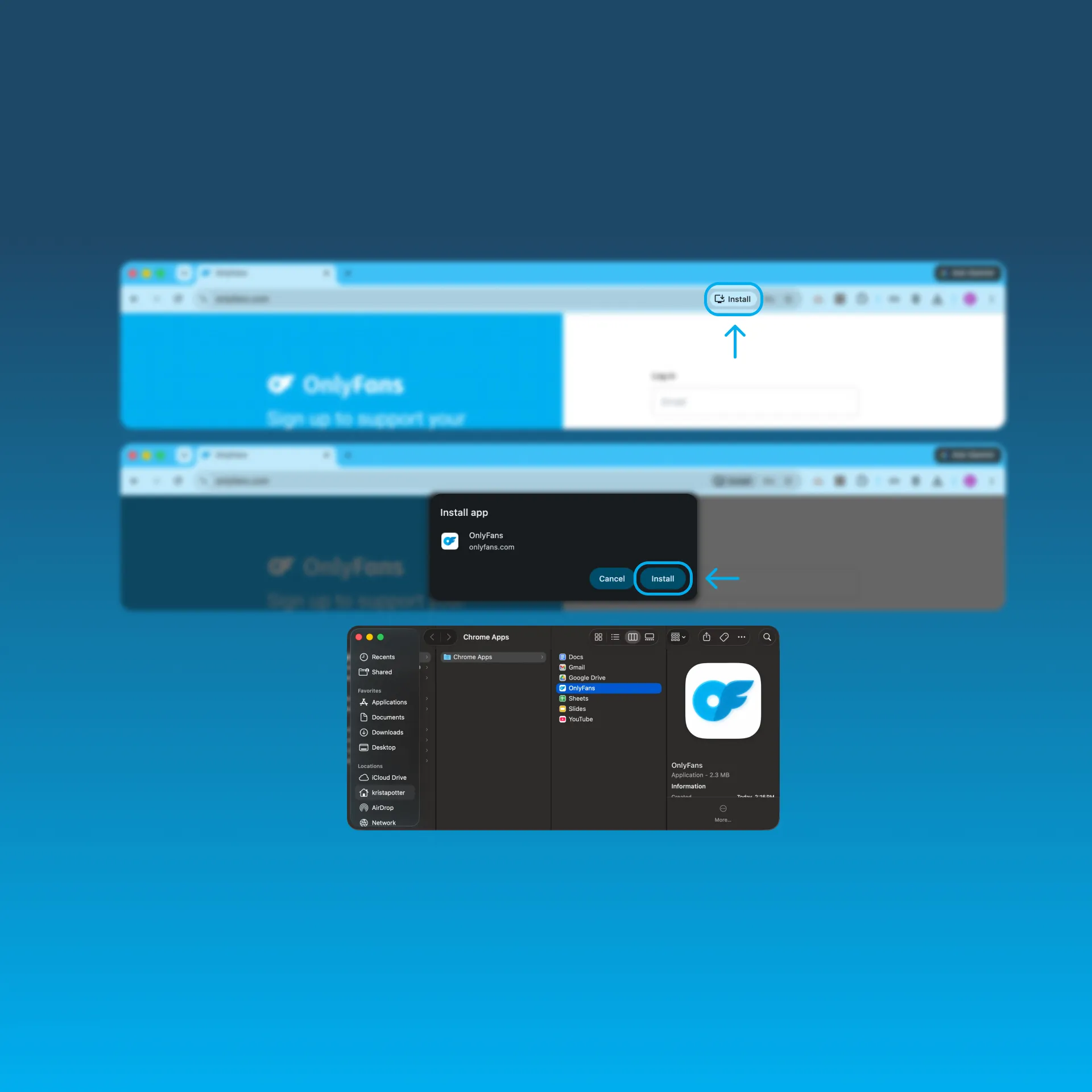
Chrome (Mac, Windows)
1.From Chrome, navigate to OnlyFans.com.
2.On the right side of the address bar, hover over the icon that looks like an arrow pointing down onto a screen.
The text Install OnlyFans will appear.
3.Click Install.
4.Drag the OnlyFans icon from the Chrome Apps folder to your desktop (Mac only)
You can now launch OnlyFans from your Dock or desktop shortcut.
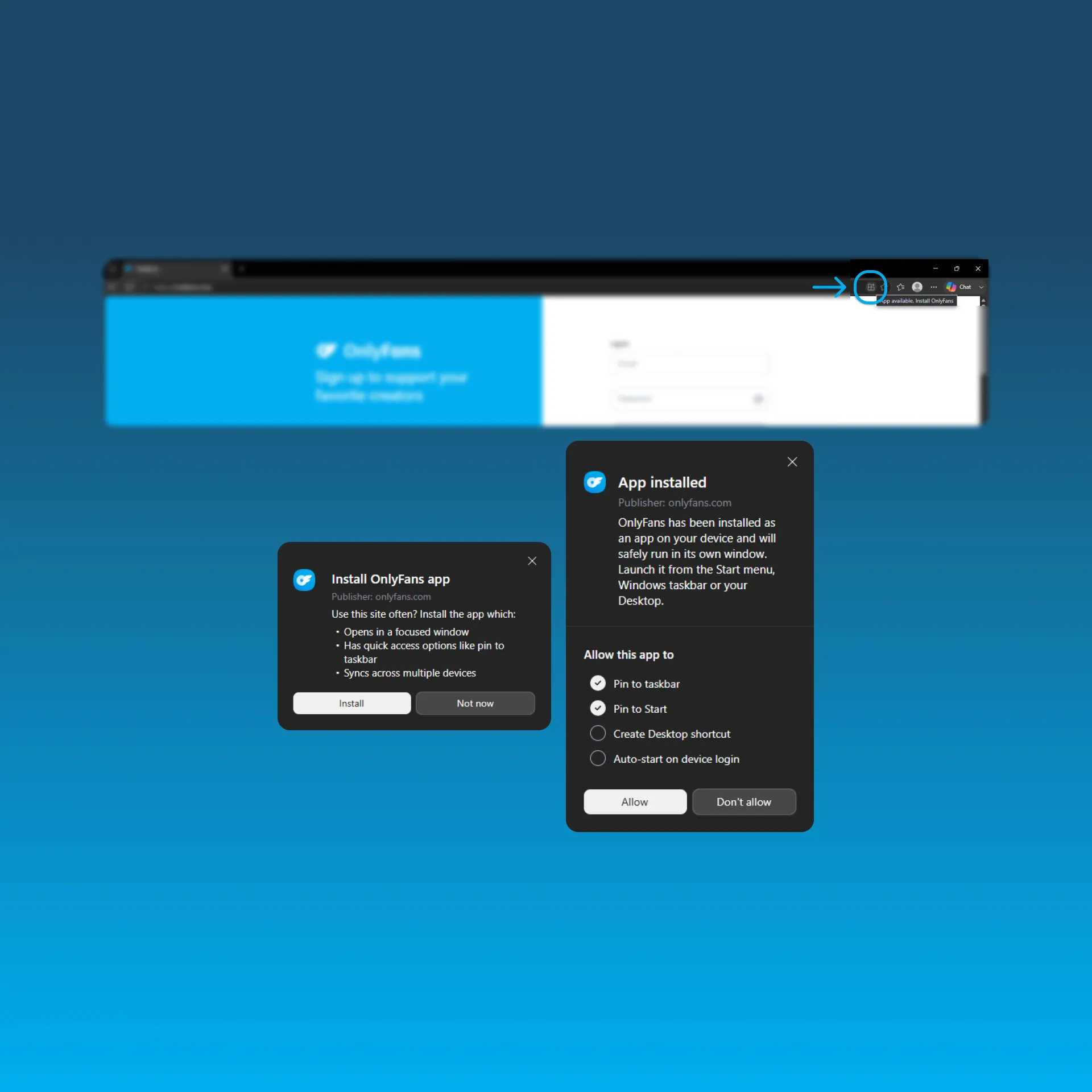
Microsoft Edge (Windows)
1.From Edge, navigate to OnlyFans.com.
2.On the right side of the address bar, hover over the icon that looks like three squares and a plus sign.
The text App available. Install OnlyFans will appear.
3.Click the icon.
4.Click Install in the pop-up that reads Install OnlyFans app.
5.Choose which app permissions you'd like to give (taskbar, Start menu, desktop shortcut, auto-start) and select Allow.
You can now launch OnlyFans from your desktop or taskbar.
Does OFTV Have an App?
Yes. OFTV is available as a free app on iOS, Android, Apple TV, Roku, Fire TV, Android TV, Samsung Smart TVs, and LG Smart TVs. Watch original series, creator content, comedy, fitness, cooking, reality shows, and more across your favorite devices.
Where Can You Download OFTV?
Smart TVs






Mobile Devices


 Explore more of our creator


